Dana runs operations at a promo distributor with 40 people. A big corporate client sends over a vendor security form before renewing their company store. Question 14 asks: "Will our employee data be processed by AI? If so, where?" The store holds 2,000 employee names, shirt sizes and home addresses for direct shipping. Dana has been planning to use an AI agent to enter orders, and now has to answer a question nobody on the team has asked before: should that agent run in the cloud, or on the company's own computers?
This post explains both options in plain terms, what each one asks of your team, and how to decide.
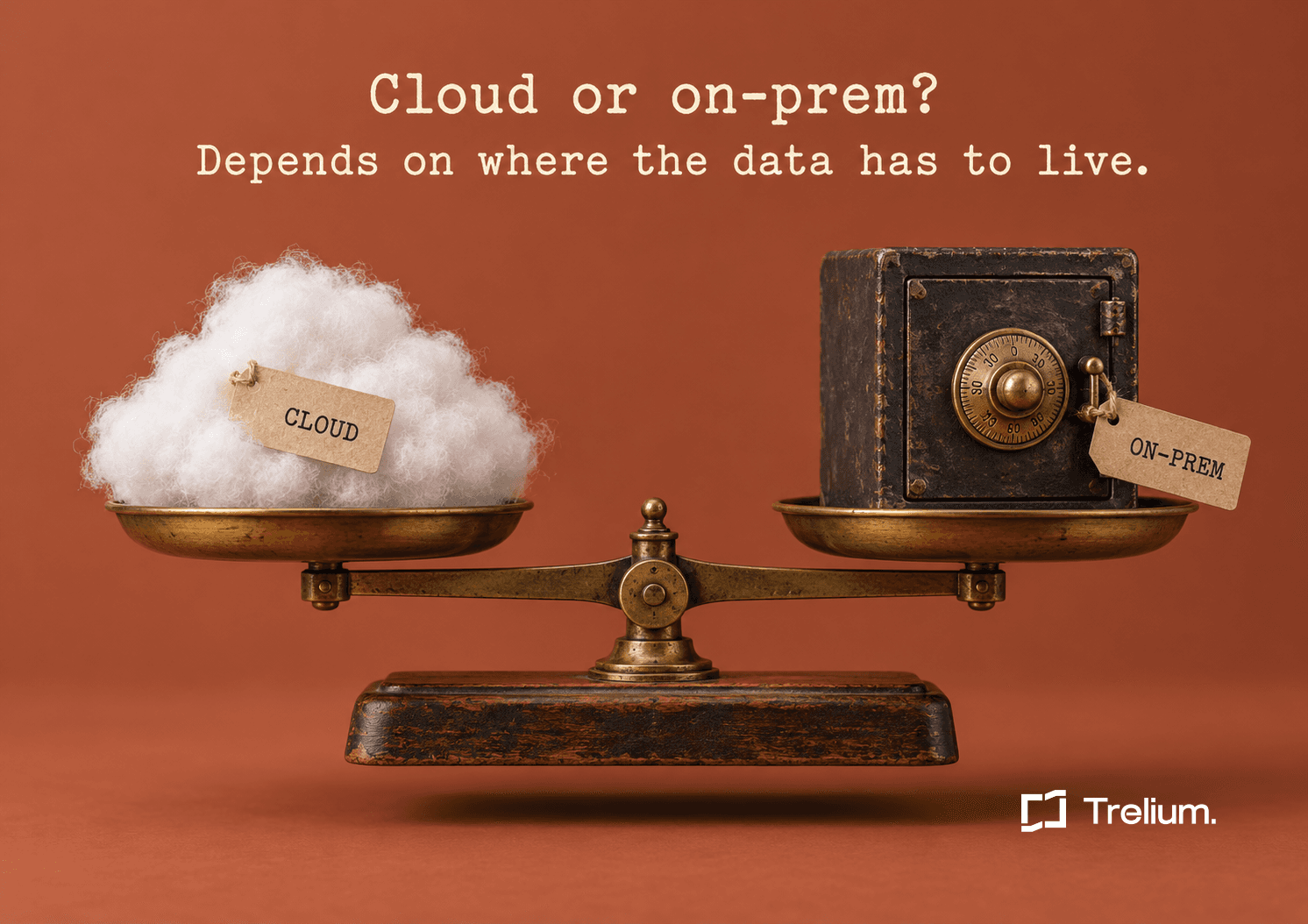
Cloud means the AI agent runs on the vendor's computers and your team doesn't manage any servers. On-premises means it runs on computers your company owns or rents, inside your own network. Most promo shops are well served by the cloud. On-premises makes sense when a customer contract, an IT policy or an old order system means the data can't leave your building.
What the two words actually mean
Cloud means the software runs on the vendor's servers in a data center somewhere else. You sign in through a web browser. If your order system is also in the cloud, like most newer promo platforms, the agent connects to it over the internet. The vendor handles updates, backups and keeping the servers running.
On-premises (often shortened to "on-prem") means the software runs on servers your company controls. That can be a machine in your back office, a rack in a data center you rent space in, or a private section of a cloud provider that only your company uses. The agent works inside your network, next to your order system, email and shared drives. Your IT person or IT provider keeps those servers running.
You will also hear self-hosted, which means the same thing as on-premises, and private cloud, which means rented servers that are set aside for your company alone.
What changes between the two
The AI agent does the same work either way. It reads the PO email, keys the order, checks the invoice against the PO, and sends anything strange to a person. What changes is where it runs and who looks after it.
Cloud
- Runs on the vendor's servers.
- Nothing to install. You sign in and start.
- The vendor handles updates, backups and uptime.
- Your data is stored in the vendor's chosen region, such as the US or EU.
- Your order system has to be reachable over the internet.
On-premises
- Runs on servers your company controls.
- Needs servers, storage and a planned install.
- Your IT team schedules updates with the vendor.
- Your data is stored on your own servers.
- Your order system can stay closed to the internet.
Four questions that settle it
Answer these in order. If you get a "yes" anywhere, on-premises is worth a closer look. If you get four "no" answers, the cloud is almost certainly the simpler choice.
1. Does a customer contract say where their data can be stored?
Large corporate clients, especially in healthcare, finance and government work, sometimes put data rules in their contracts. For a promo company this usually shows up around company stores and kitting programs, where you hold employee names, sizes and home addresses. Read the data section of your largest contracts. If one says the data must stay on systems you control, that is a strong reason for on-premises.
If the contract only names a country or region, such as "data must stay in the US," a cloud option that stores data in that region may be enough. Trelium Cloud, for example, runs in a US or EU region.
2. Does your order system run on a server in your building?
Some shops run their business system on a local server or a desktop install, for example QuickBooks Desktop or an older ERP that was set up years ago. Those systems often can't be reached from the internet at all, and opening them up is a job your IT person may not want to do. An agent installed inside your network can reach them directly.
If your order system is already a website you log in to, this question doesn't apply.
3. Does your IT person or IT provider have a rule against sending data out?
Some companies have a written policy, or an IT provider who insists, that business records don't go to outside software without a review. A cloud agent can still pass that review, but it takes longer. If the answer is a flat "no data leaves," on-premises is the path that works.
4. Do you have someone who can look after a server?
This one points the other way. On-premises needs a person, on staff or from your IT provider, who can provide the servers, approve network changes and be there for installs and upgrades. If you don't have that person, the cloud is the practical answer even if you'd prefer on-premises.
A rough rule for promo shops
If your order system is a web app, your customers haven't asked where their data lives, and you don't have IT staff, start in the cloud. You can revisit the question if a contract changes.
What on-premises costs you beyond the software
The license is only part of it. With on-premises, plan for:
- Servers and storage. Either hardware you buy or space you rent. How much depends on how many agents you plan to run, and the vendor should size it with you rather than guess.
- Someone's time. Your IT person or provider will spend time on the install, on network changes, and on each upgrade.
- A slower start. A cloud setup skips the install entirely. An on-premises install has to be planned, approved and scheduled before the first agent runs.
None of this is a reason to avoid on-premises when you need it. It is a reason to be sure you need it before you sign up for it. Our on-premises infrastructure checklist lists everything IT has to have ready.
What stays the same either way
Whichever you pick, ask the vendor to confirm these. They should not depend on where the agent runs.
- People sign in with your company accounts, such as Google or Microsoft, so you can remove someone in one place when they leave.
- You choose which actions wait for a person. For example, an order can sit as a draft until someone on your team approves it.
- Every action is written to a log, so you can see what the agent read, what it did and who approved it.
- Your data isn't used to train AI models. Ask for this in writing.
With Trelium, the cloud and on-premises versions are the same product with the same controls. On-premises is set up with our engineers and your IT team, and upgrades only happen when your team schedules them.
What Dana did
Dana read the client's contract. It said employee data had to stay in the US, and it did not require company-owned servers. The order system was already a web app, and the company's IT was one outside provider who came in once a month. Dana answered Question 14 with "yes, in a US cloud region, with every action logged and nothing used for training," and started in the cloud.
If the contract had said "on systems you control," the answer would have been on-premises, and the first call would have been to the IT provider.
FAQ
Is on-premises more secure than cloud?
Not automatically. On-premises keeps data on your servers, which matters when a contract or policy requires it. But the security of those servers then depends on your team. A well-run cloud service can be safer than a poorly looked-after server in a back office.
Can we start in the cloud and move to on-premises later?
Ask your vendor. With Trelium, the two are the same platform, so the agents and the way you approve their work stay the same if you move.
Do on-premises agents still use the internet?
It depends on where the AI model runs. The agent itself works inside your network, but it may call an AI model your team has approved. Whether that model runs inside your network or outside it is a decision for you and the vendor. Ask about it early.
Is on-premises only for big companies?
Mostly, yes, because it needs servers and someone to look after them. Trelium's Enterprise customers can run Trelium on their own infrastructure. If you're a smaller shop and a contract requires it, ask our team, and plan for the IT time.

Anindo Neel Dutta
Member of GTM Staff
Get started
Ready to see Trelium in action?
Schedule a 30-minute conversation about the workflow you want Trelium to handle.
Talk to a Human→